

1
Read the reward's state first
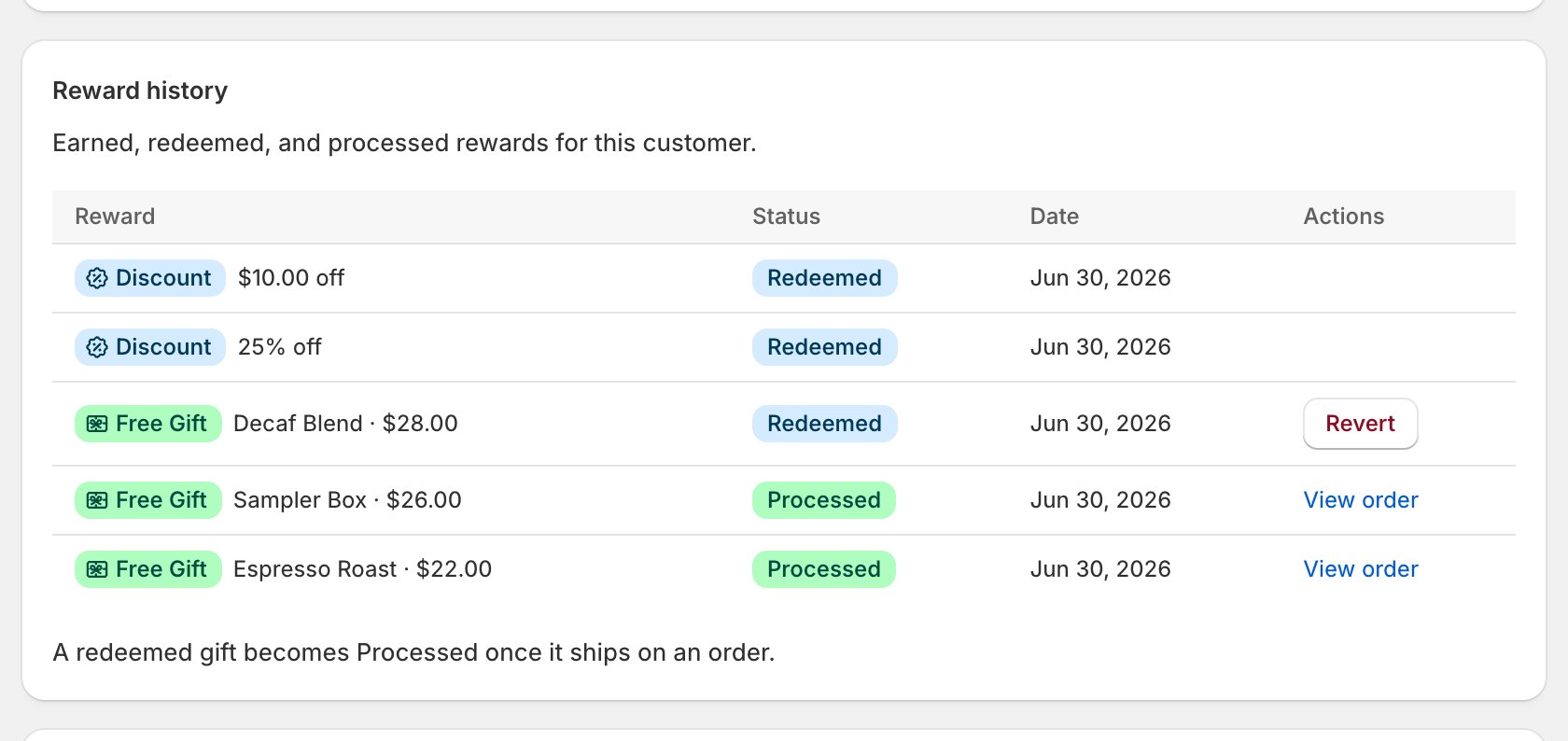
- Open the subscription and find the Reward history card: every reward this customer earned, with a status.
- The Customer card shows the running count of recurring orders toward rewards.
Checkpoint: the status names your case; the steps below match.
2
Put a removed free gift back
- The scenario: the gift line is gone from Items, but Reward history still reads Redeemed.
- Click Revert on the gift’s row and confirm; the reward returns to Available.
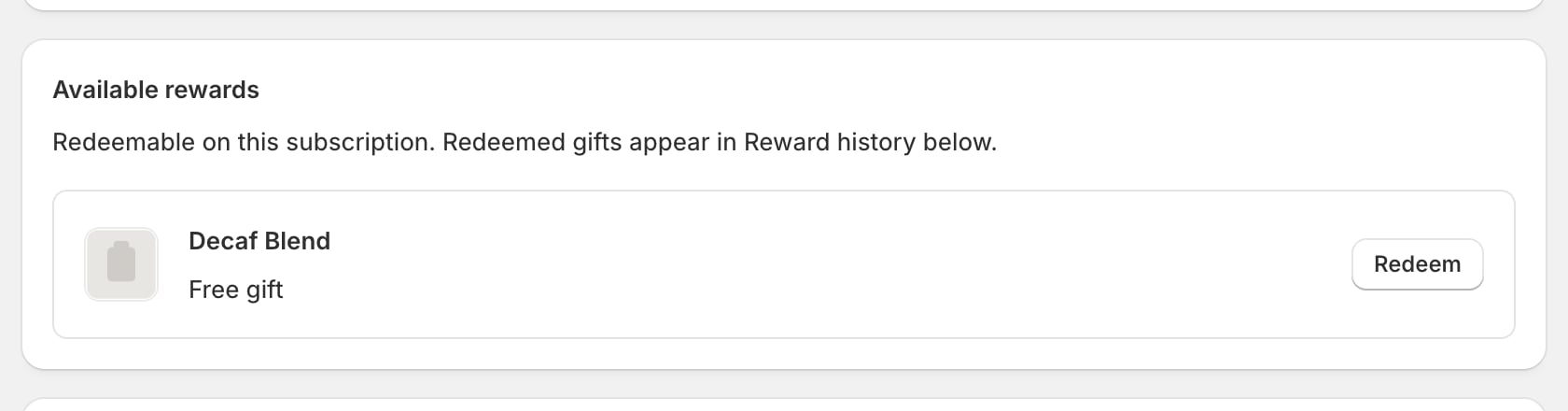
- In Available rewards, above the history, click Redeem and confirm with Add gift. The line returns to Items at zero, marked Free Gift.
Checkpoint: the gift is back at zero, history row Redeemed again.
3
A gift that vanished after an order isn't missing
- A gift belongs to one order: once billed, the line leaves the subscription by itself and the history row reads Processed, with a View order link. Nothing to fix.
- Merging subscriptions strands gift lines on the retired subscription; an unshipped gift there still reads Redeemed, and Revert works from the surviving subscription. Unable to revert the reward gift means the retired contract is no longer editable in Shopify: raise it with whoever runs your code.
Not every free gift is a reward. A save-offer gift from your cancellation flow looks identical but has no Reward history row, so Revert and Redeem never show for it.
4
The discount that never appeared
- Amount-off and percentage-off rewards apply themselves and show on the Payment summary card as Reward Discount, good for one order.
- A customer with several subscriptions gets the discount on whichever bills next: check the siblings first.
- Remove buttons on the Payment summary target promo codes, not reward discounts.
- A discount that couldn’t land yet applies as renewals advance; one that gave up shows on Settings > Operational health (When an alert opens).
Checkpoint: one subscription shows Reward Discount, or Operational health explains why not.
5
When Redeem is refused
- “Reward not found” usually means it was redeemed already: refresh and re-read the history.
- “Unable to add reward gift” usually means the gift product or its variant no longer exists; the history row falls back to “Free gift” with no price. Restore the product in Shopify and redeem again.
- If the product is gone for good, pick a new gift for the tier under Settings > Rewards and make this subscriber whole.
Checkpoint: the gift redeems clean, or the refusal is identified.