

1
Let it run
The response, in order:
Checkpoint: nothing above needed you.
2
Watch it happen
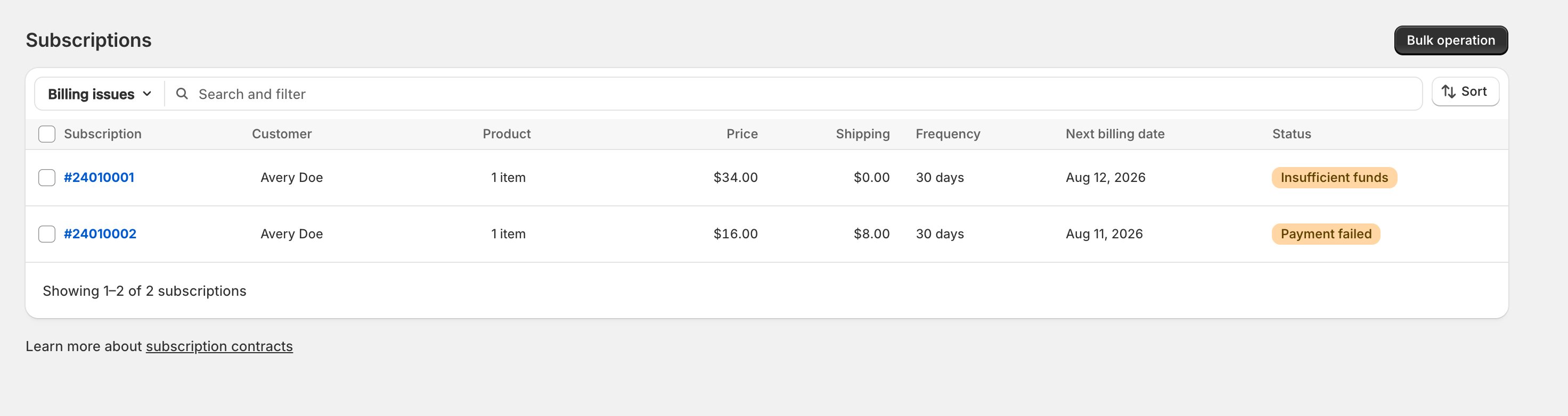
- Subscriptions, filtered to Billing issues, lists everyone in recovery; Home’s Needs attention banner’s Review subscriptions button lands on the same list.
- Two filter names look alike and aren’t:
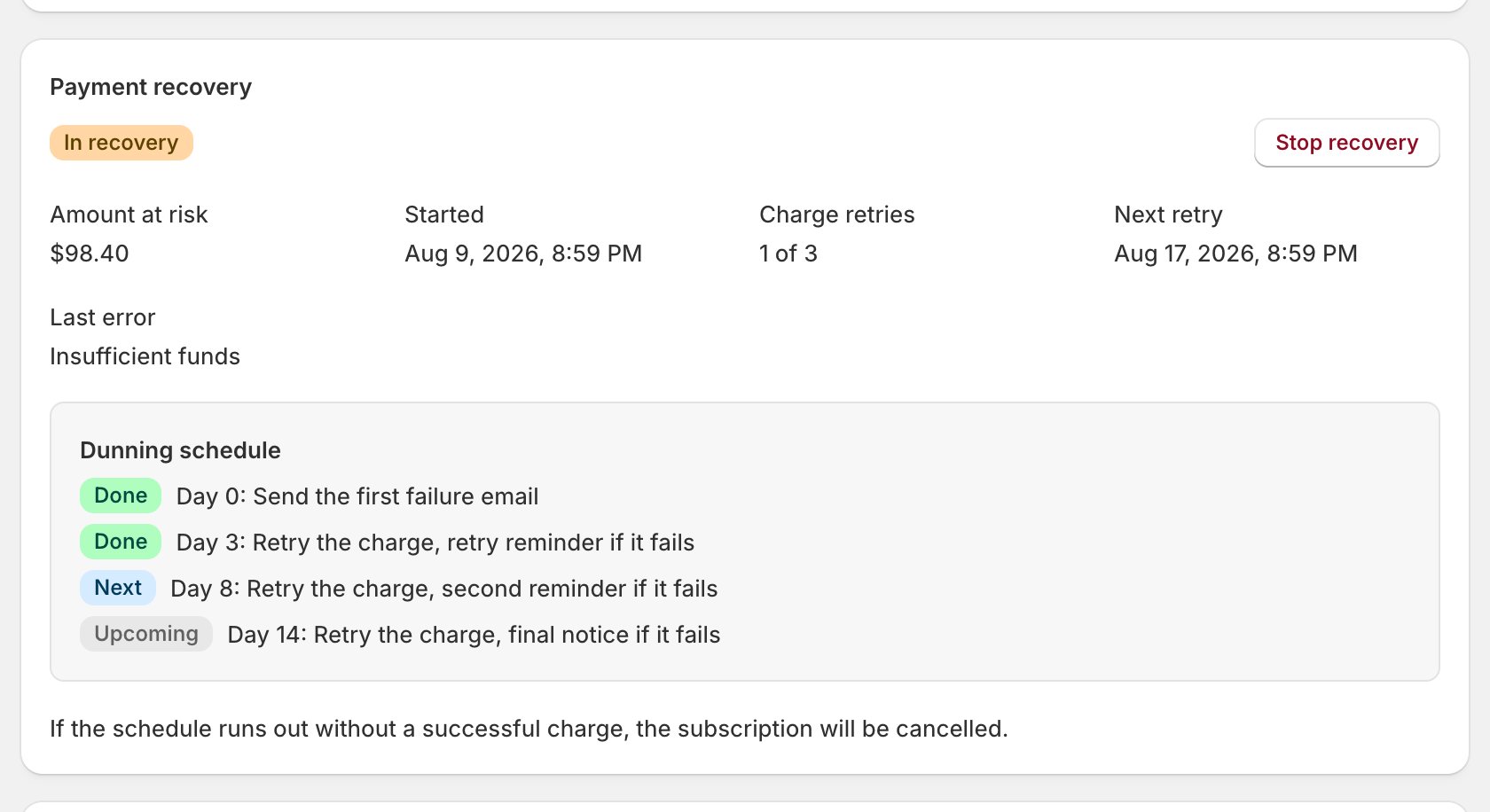
- Open one: the Payment recovery card shows an In recovery badge, the amount at risk, retries used, the last error, and the dunning schedule with steps marked Done, Next, or Upcoming. Once the schedule is spent, Next retry becomes Final action with the ending’s date. An out-of-stock campaign shows an Out of stock badge and no schedule. The card exists only mid-campaign.
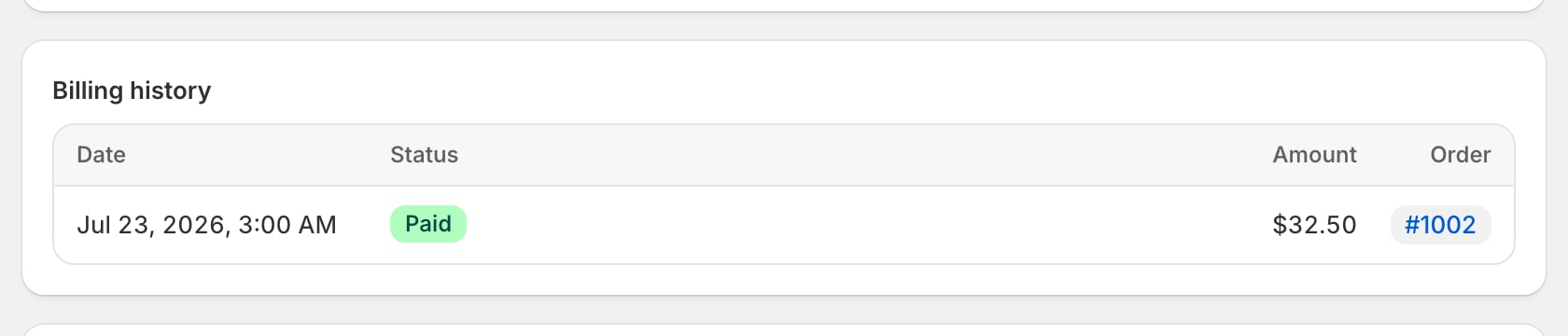
- Below it, Billing history lists one row per attempt, Paid or Failed, with a Recovery badge on scheduled retries and Backup card on backup tries; failed amounts are labeled “attempted”, not charged.
- Analytics > Dunning totals what failed and what the schedule won back.
Checkpoint: every attempt is on the screen.
3
Tune the schedule, once
- The whole campaign (retry days, emails, the ending) lives at Settings > Payment recovery; Set up payment recovery walks every field.
- After the last step decides the ending.
- Out-of-stock retries run their own quieter schedule, with no emails to the subscriber.
Checkpoint: the schedule matches how hard you want to chase.
4
The subscriber who never fixes the card
- If a campaign drags on, nudge once: click the pencil on the Payment method card and choose Send payment update email, or paste a Quick action link into a personal reply (When a subscriber asks for help).
- Either link signs the subscriber into their portal’s payment section to pick another saved card or add one. OpenSubs never stores card details: they’re exchanged for a Shopify vault token and discarded.
5
The bank that wants a confirmation
- Sometimes the bank makes the subscriber confirm the charge (3D Secure): the bank-authentication email carries the bank’s confirmation link, the campaign waits, and the Payment recovery card’s next retry reads Waiting for customer authentication.
- It waits as long as it takes; point a confused subscriber back at that email.
6
The product that's out of stock
- A renewal that fails because your product is out of stock never emails the subscriber.
- A partly stocked renewal bills without the missing line; the subscription keeps every line for the next cycle.
- With every line out of stock, the charge waits on the Out-of-stock retries schedule. Restock in Shopify and the next retry bills as normal.
Checkpoint: restocking is the whole fix.
7
End a campaign on purpose
A campaign closes in one of four ways; you control three:
- Want the order out today? Ship now, then Charge & ship now.
- Want just the chasing to stop? Stop recovery. The missed order is never billed and nothing bills until you move the next billing date or use Ship now; it stays in Billing issues until a charge succeeds, and a later failed cycle opens a fresh campaign.
- Want the subscription ended too? Cancel or pause it.
- Want future campaigns shorter? Cut steps on Settings > Payment recovery; changes apply to running campaigns too.
Checkpoint: pay it, stop it, outlast it, or end the subscription under it.
There is no retry button, on purpose. The schedule owns retries. When a fixed card needs the order today: Ship now, then Charge & ship now (Edit one subscription).